





Many organisations know that automation could improve their operations, but deciding where to begin is often difficult. Every department may have manual processes, delayed approvals, repeated data entry, and disconnected systems. Attempting to automate all of them at the same time can create unclear priorities, unnecessary costs, and workflows that fail to address the main operating problem.
The best business processes for automation are not simply the most repetitive. They combine sufficient business value, clear rules, reliable data, manageable risk, and realistic technical requirements. A structured assessment helps an organisation distinguish strong automation opportunities from processes that should first be simplified, redesigned, or left under human control.
This article explains how to identify business processes for automation, assess their suitability, and select a practical first project.
What Is a Business Process?
A business process is a series of connected tasks completed to achieve a defined result. It has a starting point, a sequence of actions or decisions, people or systems responsible for each stage, and an expected output.
Converting a website enquiry into a qualified sales lead is a business process. So are approving an invoice, screening a job application, onboarding an employee, routing a customer request, and preparing a weekly performance report.
A process may operate within one department or move across several teams and systems. Before assessing it for automation, the organisation needs to examine the full workflow rather than one isolated task. An AI automation engineer can then determine which steps can be connected, which require fixed rules, and which should retain human review.
What Makes a Process Suitable for Automation?
A suitable process usually occurs frequently, follows clear steps, consumes substantial employee time, or creates delays that affect customers and internal teams. Processes involving repeated data entry, routine status updates, standard approvals, information transfers, and recurring reports are common candidates.
The process must have rules that can be explained. If employees follow a different method each time or depend on undocumented personal judgment, the work may need to be standardised before development starts. A rule such as “send requests above this value for manager approval” can be translated into workflow logic. A decision based on individual preference is harder to automate consistently.
Data readiness matters as much as process clarity. Automation is easier when the required information is complete, consistently formatted, and stored in accessible forms, databases, spreadsheets, or business applications. Paper records, missing fields, and inaccessible legacy systems may increase delivery effort and risk.
The result should be measurable. Before development begins, the organisation should know the current processing time, manual effort, error rate, response time, or cost. These figures create a baseline for measuring whether the automated workflow improves performance.
Seven Steps for Identifying Processes to Automate
Identifying automation opportunities requires input from the people who manage the process, the employees who complete the work, and the technical team responsible for the connected systems. The following seven steps provide a consistent way to examine each request.
Step 1: Collect Process Ideas Across the Organisation
Begin with the employees closest to the work. Ask department heads and process owners to identify activities that are repetitive, slow, difficult to track, prone to errors, or dependent on manual transfers between systems.
Each request should contain the process name, responsible department, trigger, main steps, systems used, monthly volume, time required, frequent delays, and expected result. Using one format for every request makes the information easier to compare and prevents the automation backlog from becoming a list of vague ideas.
This stage provides visibility into potential automation opportunities before the organisation decides which ones to pursue.
Step 2: Map the Current Process
Once a process has been proposed, document how it operates now. Speak with the employees who complete the work and compare their account with existing procedures. Informal workarounds, repeated checks, spreadsheet trackers, and manual handoffs may not appear in official documentation.
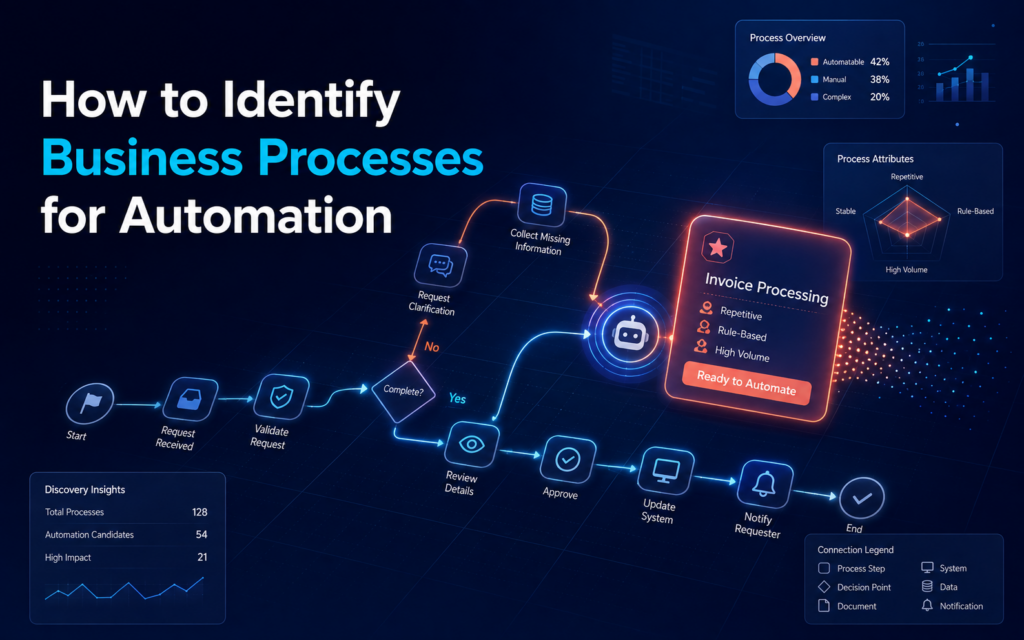
The process map should show what starts the work, the actions and decisions that follow, who owns each stage, the systems and data involved, the approval points, common exceptions, and the final output.
Mapping may reveal that the main problem is not the absence of automation. An unnecessary approval, duplicated data collection, or unclear ownership may be creating the delay. In such cases, simplifying the process before automating it will produce a cleaner and more reliable workflow.
Step 3: Establish Current Performance
Record how the process performs before making changes. The organisation should know how many transactions it handles, how long each one takes, how much time work spends waiting between stages, and how often errors or rework occur.
Use actual operating data where it is available. If the process is not already measured, collect a representative sample over an agreed period. The baseline should reflect the outcome the organisation wants to improve. For example, a customer enquiry process may be measured through response time and correct routing, whereas an invoice process may be measured through processing time, error rate, and cost per transaction.
Without a baseline, the team may launch a working automation but remain unable to show whether business performance improved.
Step 4: Identify the Automation Opportunity
Review the mapped process one step at a time. Repeated transfers of structured data may require system integration. Standard decisions may be handled through fixed rules. Routine messages may be automated, and multi-stage approvals may be managed through a workflow that records decisions and sends reminders.
Some processes contain unstructured information such as emails, documents, or free-text enquiries. AI may support classification, summarisation, or information extraction in these cases, provided that the workflow includes suitable validation and review.
The goal is not to remove every human action. A well-designed process assigns predictable work to the system and keeps human involvement where judgment, accountability, or exception handling is required.
Step 5: Assess Technical Feasibility
A valuable process may still be difficult to automate if the required systems cannot exchange information, the source data is unreliable, or secure access cannot be provided.
The technical assessment should examine how each system can be connected, whether APIs or webhooks are available, how authentication works, and whether there are limits on volume or timing. It should confirm that required data is complete and consistent and that the workflow can be tested without disrupting live operations.
The assessment should also establish who will monitor the workflow after deployment. Integrations can fail when permissions, application settings, data fields, or external services change. Ongoing ownership is part of technical feasibility, not an issue to address after launch.
Step 6: Review Risk and Required Controls
Every automation carries some level of operating risk. The organisation must assess what could happen if the workflow fails, processes incorrect information, exposes sensitive data, or completes an action without the correct approval.
The review should cover data sensitivity, financial impact, customer impact, regulatory requirements, approval authority, audit records, and the ability to reverse an automated action. A workflow that sends an internal notification has a different risk profile from one that approves a payment or changes a customer account.
Lower-risk processes often make stronger first projects. High-risk processes can still be automated, but they require stricter permissions, more extensive testing, detailed activity logs, approval points, and clear incident procedures.
Step 7: Prioritise the Shortlist
After assessing value, feasibility, and risk, compare the shortlisted processes using a consistent scoring method. A simple one-to-five scale is enough to support the discussion.
| Criterion | What a higher score represents |
|---|---|
| Business value | A greater effect on cost, time, service, or revenue |
| Process volume | The workflow occurs more frequently |
| Time savings | More employee time can be redirected to other work |
| Feasibility | The rules, systems, and data are ready |
| Data readiness | Required information is reliable and accessible |
| Risk | Failure would have a lower operational impact |
| Delivery effort | The workflow has fewer dependencies and can be delivered faster |
The score should guide a business discussion rather than make the decision automatically. An organisation may choose one quick operational improvement and one higher-value process that requires further discovery. This balances early delivery with preparation for more complex work.
Examples of Business Processes That May Be Automated
Automation can support processes across different departments. Common examples include:
- Sales and Lead Management: Automation can capture leads from forms and campaigns, enrich prospect information, assign leads to the appropriate sales representative, and update CRM records.
- Recruitment and Onboarding: Recruitment teams can automate candidate data collection, application screening, interview scheduling, candidate communication, and onboarding document management.
- Customer Service: Automation can classify customer enquiries, route requests to the appropriate team, send acknowledgement messages, and escalate unresolved cases.
- Finance and Invoice Processing: Finance teams can extract invoice data, route invoices for approval, send payment reminders, and prepare recurring financial reports.
- Operations and Reporting: Operations teams can connect business applications, track internal requests, generate standard documents, consolidate data, and produce performance reports.
These examples provide a starting point. Each process should still be evaluated against the organisation’s systems, data quality, operating rules, risk level, and expected outcome.
Processes That May Not Be Ready for Automation
Some processes require further preparation before automation development begins. Common signs include:
- No clear process owner: No individual or department is responsible for defining requirements, approving changes, and monitoring performance.
- Inconsistent working methods: Employees complete the same process differently, making it difficult to create one reliable automated workflow.
- Unclear expected result: The organisation has not defined the problem the automation should solve or the result it should achieve.
- Incomplete or unreliable data: Missing fields, inconsistent formats, and outdated records can make the workflow unreliable.
- Frequent process changes: Processes that change regularly may require repeated technical updates after deployment.
- Heavy reliance on subjective judgment: Processes involving sensitive decisions, professional judgment, or unusual circumstances may require continued human involvement.
- Security or access restrictions: The required systems and data cannot be accessed safely or in line with the organisation’s security requirements.
- Very low transaction volume: The time or cost savings may not justify the development effort.
In these situations, the organisation should standardise the process, improve its data, assign clear ownership, or complete a security review before development begins. Automation should support a clear and controlled process rather than preserve an inefficient one.
How to Select the First Automation Project
The first project should be valuable enough to matter and controlled enough to deliver safely. A suitable starting workflow should have a named owner, stable steps, reliable digital data, accessible systems, manageable risk, and a result that can be measured.
Before selecting it, confirm that the organisation can answer five questions:
- What business problem will the automation address?
- How does the process perform now?
- Which systems and data will the workflow use?
- Who will approve and own the process?
- How will success be measured after deployment?
Avoid choosing the largest cross-company process as the first implementation. A focused workflow gives the team room to establish its discovery, testing, approval, documentation, and monitoring practices before moving to more complex processes.
What Happens After a Process Is Selected?
Once the organisation selects a process, the work moves from assessment to delivery. The next stages include confirming requirements, designing the workflow, selecting tools, defining access controls, building the automation, testing normal and exception cases, securing approval, deploying it, and monitoring performance.
The process owner should answer operational questions and approve the completed workflow. Technical responsibility should sit with someone who can build, document, monitor, and maintain the automation.
If your organisation does not have this capacity internally, it can hire an AI automation engineer through a permanent role, independent contract, project engagement, or staff augmentation arrangement.
How Loubby AI Can Support Your Automation Projects
Loubby AI provides dedicated AI automation engineers who work directly with your organisation to turn selected business processes into functional, monitored workflows.
We manage recruitment and onboarding, giving you access to an engineer in as little as three days. Your engineer can assess existing processes, develop automated workflows, connect business systems, conduct testing, monitor performance, resolve technical issues, and improve deployed automations.
You can hire an engineer based on your preferred engagement model, project scope, workload, and support needs. To get started, identify the first process you want to automate, the systems involved, the process owner, and the outcome your organisation expects to achieve.
Conclusion
Identifying business processes for automation requires more than listing repetitive tasks. The organisation must examine business value, process volume, operating delays, data quality, technical feasibility, risk, and the ability to measure results.
Start by collecting process requests, mapping the current work, recording performance, and assessing each opportunity. Select one workflow with clear ownership, reliable data, manageable risk, and a measurable target. This creates a practical foundation for future automation projects.
If your organisation is ready to turn a selected process into a working, monitored workflow, hire a dedicated AI automation engineer through Loubby AI.